
Easter egg: From the main menu press down until you highlight the globe. Press enter to see a montage of "plan R" clips from the film, as well as some of the film's funniest moments.
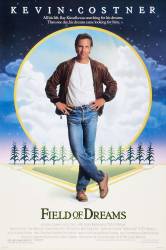
Easter egg: On the feature disc in the menu where you can access the director's commentary and deleted scenes, click to the right to see a baseball player light up. The director will explain who the voice is.
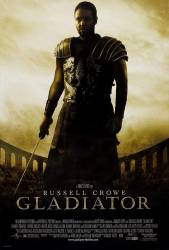
Easter egg: On the 2nd disc select trailers and TV spots. When you are in this press left once, this will highlight the bird on his chestplate. Press enter and you will get a funny Chicken Run trailer.
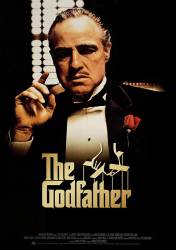
Easter egg: In the Godfather DVD Collection, on the bonus materials disc, click on Set up. At the setup screen, press right to highlight a globe. Click on it to see clips from the Godfather movies translated into different foreign languages.
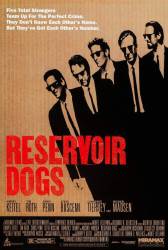
Easter egg: This is on the Special 10th anniversary DVD. On second disc of the set go to the 'Special Features' section. There, select the 'Critics Commentary' menu option, followed by the 'Up' arrow key on your remote control. This will take you to 3 minutes of rolling DVD production credits, accompanied by cool background music. Also on the second disc of the set, select the 'K-Billy Radio Interactive Radio' and choose the last channel on the far right. Then, press the 'Enter' key on your remote control. This will allow you to view a re-enactment of the infamous ear-cutting scene from the film, as played out by some action figures, with the original footage from the film running in a small window.
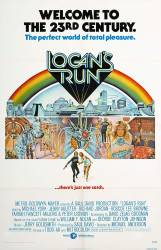
Easter egg: On the main menu, scroll down to special features. Press right on the remote and the Timeclock on the hand will light up. Press select to see an explanation of how the Timeclocks work.
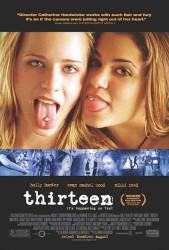
Easter egg: The word Thirteen appears very briefly (a couple of seconds at most) as the main menu loads but is not clickable. However a video of the "Zen Chicken" can be accessed by disassembling the DVD to your PC. You can then save the video as a separate file.
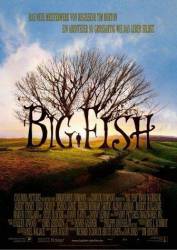
Easter egg: From the main menu, scroll to special features. Hit the up button twice and then hit enter.

Easter egg: On the second page of Special Features, with the cursor next to "Q&A With Hubble", press the left button. The word "WOOF." will appear at the far left of the screen and you will hear a dog bark. Press enter to see a short feature on the dog Liam Aiken received on the last day of shooting.
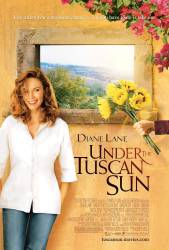
Easter egg: If you go to special features and go to the bottom row of choices, press left and the flower pot will highlight. This will show the origins of the "thong" scene.
Easter egg: From the main menu, go to the special features menu and then to the deleted scenes menu. Once you've watched the intro by the director, highlight "A struggle at the devils throat" and press up to see some rather disturbing drawings.
Easter egg: From the menu of seeing double, select "S Features." The first egg is here. Highlight "Trailers" and press your Up button to highlight some hidden lightning bolt. Press your Enter button to watch some clip of Brad Pitt and Daisy Ridley escorted their movie to Adam Sandler, as well as Bill Nighy. On the home main menu, highlight the last menu item and press your Down button. A martini glass will appear. Click on it to watch DVD credits of the movie.
Easter egg: On the Region 1 DVD (Only the Canadian Collector's Edition or Special Trilogy boxed set edition, not on the standard American version) at the main menu, highlight the top option and press up to highlight a hidden option that takes you to see storyboards of various scenes.
Easter egg: From the Special Features menu, highlight the word FEATURES and then press LEFT. One of the markers in the picture to the left will turn blue. Press ENTER to see video of an avalanche that occurred during filming.
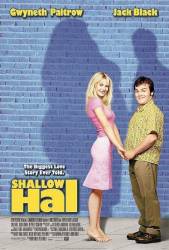
Easter egg: Insert the disk, then when on the main menu, go to "Language select." When on this page, you'll see a picture of Hal and Mauricio. Go up, then hit left, and you'll see a little blue arrow. Hit enter to see a short clip of how the special effects technicians made Maurico's tail work.
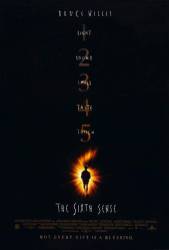
Easter egg: On the Collector's Edition Series DVD, go to the Bonus Material menu. Click on the More button, then scroll down to highlight the brown box and press Enter. M. Night Shyamalan will show you a clip of another horror movie he made.
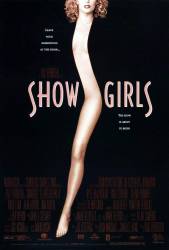
Easter egg: Warning: very intricate. These steps will play the most erotic scenes from Showgirls back-to-back and looped 5 times. 1) From the Chapter Selections menu, go to Chapters 9-12, highlight but don't press enter. Activate small hidden button in the upper left corner of the screen by entering "17" on your remote ONCE. 2) Go to chapters 21-24 (highlight w/o enter) and enter "17" on your remote ONCE. 3) (optional to add extra scene) Go to chapters 33-36 (highlight w/o enter) and enter "17" on your remote ONCE. 4) From the chapters 33-36 menu, play the ending credits. 5) Hit the forward skip button to end the movie. 6) You will see the MGM logo animation display, followed by the Showgirls Copyright screen. On THIS screen enter "2" on your remote control. If you did this correctly, the video should begin playing.
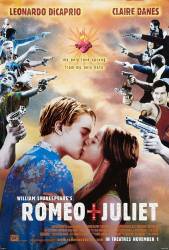
Easter egg: Special Edition DVD. From the Main menu, highlight Play, arrow up once. The diamond at the top of the arch will highlight. Hit enter to see the DVD credits. At the end you will exit into the Directors Gallery which is also in the special features section.
Easter egg: This Easter Egg is on the second page on the Extras DVD. At the bottom of the page, between the Setup and More buttons, a crown pops up. Clicking on it brings up the Easter Egg. It is called Monster Cam (it shows the scene underground in the How, when the Narnians come up and surprise the Telmarines). There is a camera put in one of the minotaur's heads.
Easter egg: On Disc 2, go into Visualizing the Underworld, and hit right on the first option to see a short feature on Balthazar.