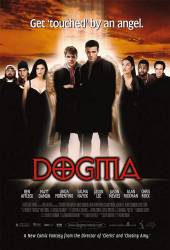
Easter egg: On the Dogma Special Edition DVD Disc One Go to "Select Scene". Hit More until you're at the last page. Hit the number "3" twice on your remote control, then sit back and watch "How Jay thinks Kevin directs" acted out by Jay and Silent Bob action figures, controlled by Jay. Disc 2: Select Deleted Scenes Hit More until you're at the the last page Hit the number 2 and then 4 on your remote control then sit back and watch "How Keven thinks Jay Acts" as acted out by the Jay and Silent Bob action Figures, as moved by Kevin Smith.NOTE: You may have to hit 'ENTER' after each number on some players.

Easter egg: From the main menu press down until you highlight the globe. Press enter to see a montage of "plan R" clips from the film, as well as some of the film's funniest moments.
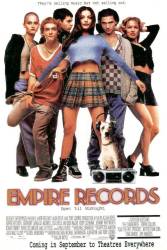
Easter egg: Stay after the credits for a bonus scene featuring Mark and Eddie.
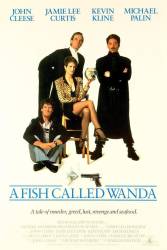
Easter egg: To access a DVD-ROM feature on the DVD player, highlight the treasure chest in the main menu. Press enter to see a fish tank screen saver. To exit press enter.

Easter egg: To activate the Omega 13 on the Main Menu, watch the movie then wait for the credits to roll out. When you get back to the menu, click the Omega 13 button and it will activate. NOTE: This will not work if you press the menu button after the movie ends. You have to let the credits roll.
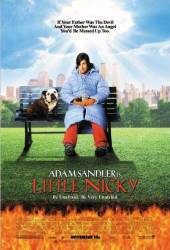
Easter egg: An easter egg on the Spanish edition of the DVD. Don't know if it exists on other editions. On the menu, select Extra Features, then, scroll down to the Menu Option and press right on your remote. You'll see a new option where you can watch an old music video from Dio.
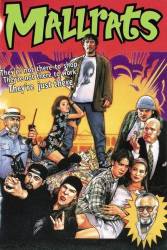
Easter egg: Go to the Special Features menu and highlight "Deleted Scenes." Press the right arrow key and highlight the robot's eyes, then press enter to see an insulting video telling people to stop looking for easter eggs and do something.
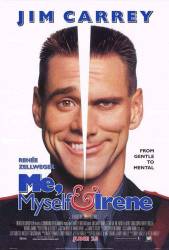
Easter egg: On the "Special Edition" DVD there are little clips at the bottom that start to play a scene. If you wait through all of the clips twice, then there is a message that pops up and says "Charlie, did you take your medicine?". If you click "No", then you switch to Hank's screen, which is pretty funny to look at, and has a few little different clips and icons.
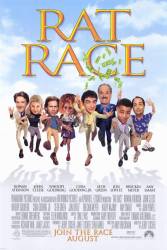
Easter egg: Select and watch any choice from the "Special Features" menu. When you return to the menu, the characters leading to the "Special Features" will change.
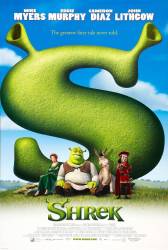
Easter egg: In the DVD Menu, go to "Extras." This menu should have the Gingerbread Man on it. Move around and hit right to select the Gumdrop buttons. You can now see various bits of trivia from the production of "Shrek." This easter egg is found only in the Region 1 DVD.
Easter egg: This feature is found in disc 2. On the main menu highlight the first item on the list. Push up and then push right it will take you to a fun montage.
Easter egg: Season 2: Disc 1: In Languages, click on Mr. Mackey's tie. Disc 3: In Languages, click on the bulls horn. In the episode Menu, click on the visitor head atop 'Prehistoric Ice Man'. Season 3: In Set Up, click on Sexual Harassment Pandas ears. Disc 2: In Set Up, click on Moses' eyes. Disc 3: In Set Up, click on Mr. Hankey's Santa hat.
Easter egg: Go to "index" and select the star in the lower left hand corner (I think) this takes you to a screen that has a lot of titles on it. Press "play all" they are little movies like happy meal toys of Buzz Hamm Woody and Rex. They are also in stars all over the DVD (special edition disk 2).
Easter egg: On the special edition disk two on the main menu there is a star in the lower right hand corner it is a clip of Jessie's song but the car speeds off and comes back to hit the box Jessie is in.
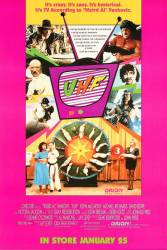
Easter egg: Put the UHF DVD in your DVD player, when the Main Menu pops up, Go to scene selections, and then highlight chapters 13-16 and then go down, and the thing on the bottom between the knobs will be highlighted. Go there, and you will see a scene from the telethon with Fran.
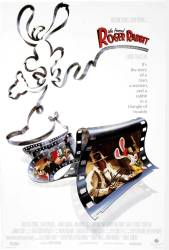
Easter egg: On Disc 1 at the main menu, go to "Movie Theatre", then press down four times, It should highlight Benny's speedometer. Press enter to view the original theatrical trailer.
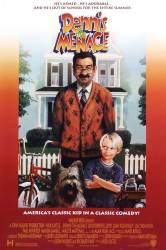
Easter egg: Special Edition DVD: Go to Special Features, highlight "A Menace Named Dennis", press right and then press OK. This will take you to the Mason Gamble (Dennis) Audition.
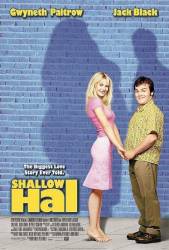
Easter egg: Insert the disk, then when on the main menu, go to "Language select." When on this page, you'll see a picture of Hal and Mauricio. Go up, then hit left, and you'll see a little blue arrow. Hit enter to see a short clip of how the special effects technicians made Maurico's tail work.
Easter egg: From the main menu, highlight "Scene Selections" and press the up button. The giant window at the top of the screen in the water park will light up. Press it now and you will have adventures with RJ and Russell. If you click on the correct password "Signs", you will then get an animation of the Great Wolf Lodge.
Easter egg: Special features > Cast & Crew > left click > Poker chip is highlighted > press select > short Documentary on Casino Legends Hall of Fame plays.