Easter egg: Go to special features menu and click the centre arrow button for the next menu to agent action.Click left to show a red "x" to learn about a logo. (collectors edition).
Easter egg: On disc 2, highlight Play and click up and Enter. It shows a music video.
Easter egg: This is found on disc. 2 of the Platinum Edition DVD, in Backstage Disney in Treasures Untold: The Making of the Little Mermaid. Click to the right of Act IV: Setting Sail which reveals a pipe (Snarfblatt). If you select this, you will see a small section on the live action references used in the making of the film.
Easter egg: On the feature disc in the menu where you can access the director's commentary and deleted scenes, click to the right to see a baseball player light up. The director will explain who the voice is.
Easter egg: On the main menu, maneuver your highlighted selection to the fortune cookie below Anna and Tess. This is quite easy to find, but fun to do. It triggers a small "earthquake" and changes the mother and daughter's clothes. Do it again to find more changed clothes, and again to add decorations to the already crazed mix.
Easter egg: Go to the cast page, highlight Special Features, and hit right. Some stars should appear. Hit enter to see profiles on the characters.
Easter egg: From the DVD's Main Menu go to the "Features" section and there press the Left arrow key on your remote control. This will highlight a frog between Hillary Duff and Michael Murray. Now press the 'Enter' key and you will be treated to a brief clip on the producers trying to find the perfect frog prince.
Easter egg: When you go into the special features, there is a game featuring Char and the fan club. If you want to skip to the "reward", press the left arrow and it will highlight the bottom of Chars picture with a little flower. Press enter and it will come up with the "reward".
Easter egg: Highlight the first option on the Bonus Features and hit left. Press enter to get commentary bloopers.
Easter egg: Press "Angle Change" on your remote control at the main menu to replace the default background with animated segments from the movie.
Easter egg: On the Extras, click sideways (right) on your DVD remote and it will highlight an invisible dynamite on the right hand side. Click on it and it will show the 'Yosemite Sam getting blown up' scene from the movie.
Easter egg: On the second page of Special Features, with the cursor next to "Q&A With Hubble", press the left button. The word "WOOF." will appear at the far left of the screen and you will hear a dog bark. Press enter to see a short feature on the dog Liam Aiken received on the last day of shooting.
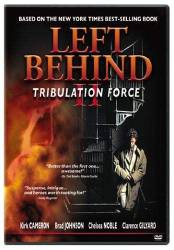
Easter egg: First, watch the movie or watch a special feature, then go to the main menu. In the main menu, highlight any of the four options, but don't press enter. Press the right button and the "Tribulation Force" part of the title will turn from a yellow color to a red color. Press enter. You will hear a funny story from the Director of Photography.

Easter egg: When you go to Special Features, you see the back of Daphne's chair. If you go onto that you can see the audition for Peach and Pear.
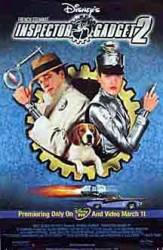
Easter egg: On the Inspector Gadget 2 DVD, there is an optional main menu hidden. It is the IG2 logo at the top of the screen. If you press the up button while the words Scene Selection are highlighted the logo of IG2 will highlight. Then press Enter.
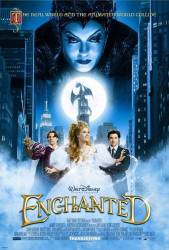
Easter egg: On the DVD's Main Menu go to 'Bonus Features' and highlight the Menu entry for 'Fantasy Comes to Life' and then highlight the music symbol. Press 'Enter' on your remote and watch the music video 'Ever Ever After' by Carrie Underwood. Also, in the 'Bonus Features' section, highlight the Mickey Mouse symbol located under the 'More' menu option. Then press 'Enter' to watch a clip of the producer, Barry Josephson, talking about which classic Disney fairytales that 'Enchanted' makes reference to.
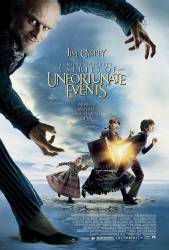
Easter egg: Collector's Edition First disk: On the main menu, highlight the eye shape in the middle of the menu. Press OK and the credits scene with the Baudelaires shifts to the next part. There are several scenes to go through by pushing OK at each scene. Second disk: Go to Gruesome Galleries. Highlight Woeful World and press the right arrow. An eye should appear on the cutout of Olaf. Press OK to see a short feature entitled "Eyes are Everywhere". Second disk: On Gruesome Galleries, highlight the words Main Menu at the bottom. Press the right arrow and the swirl will light up. Press OK to see a short feature entitled "Portrait of the Artist as a Bad Man".
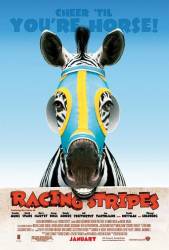
Easter egg: Go to the end of the special features menu and press down on the "main menu" tab and the zebras ears will change colour. Press enter to see a short with the rooster.
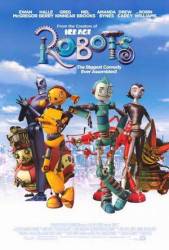
Easter egg: On wide screen version go to upgrades, Highlight commentaries then click left, two wrenches crossed will appear, Then hit enter.

Easter egg: On the main page press up, and the little lion picture will become highlighted. Press enter to watch a short complation of shots panning around the Narnian landscapes, while the harmonious instumental music plays.