

Continuity mistake: While Will is looking at the new storm clouds on Sandra's feed, he gets a message from the DHS director. On this message, it is displayed as "DHS Dir. Briggs"; then when he pulls it up, suddenly the title now reads as "DHS Director Briggs", with Director no longer abbreviated to "Dir.". (00:03:15)

Factual error: Right towards the start, Will opens up the camera feed around several locations in Washington DC and in the surrounding areas. Six camera feeds pop up, but the information on them is all lazy copy-paste. They all say Location: Washington DC. Yet the first camera shows the Pentagon, which is in Arlington VA, not Washington DC. Then the sixth camera shows the NSA Headquarters, which is in Fort Meade, Maryland, not DC. Also, all six cameras have the same IP address. Not possible with how it's set up.

Factual error: After Will logs in, the screen greets him with "Domestic Terror Analyst" under his name. This is not an actual U.S. government job title; the closest real roles would be Intelligence Analyst or Counterterrorism Analyst. In reality, a secure government system would never display the user's specific role or specialty on the login screen, as it's an OPSEC risk. Such screens usually show only the agency or system name. (00:00:35)

Factual error: Several security camera feeds display unrealistic overlays such as "Threat Level: Medium/Low," "No suspicious activity," or "Secret Service handover of all routes." Real surveillance systems don't simplify threat assessment into game-like labels or display sensitive operational details over live video. Facilities like the White House, Pentagon, and NSA maintain constant high security, not fluctuating public-style threat levels. (00:01:10)
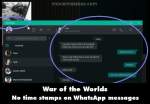
Factual error: A WhatsApp conversation between Will and Faith is shown on the computer, but the interface is inaccurate. The contact's status says "last seen recently," wording used by Telegram, not WhatsApp, which normally gives an exact time or hides it entirely. Additionally, the chat bubbles lack the usual timestamps and read receipt checkmarks that WhatsApp displays, making the on-screen version an incorrect depiction of the app. (00:04:35)

Factual error: The "Visa Alert" flags Faith's café purchase as suspicious and somehow gives the Will an instant live feed from inside the café along with a detailed analysis of her order. In reality, card alerts don't grant third parties immediate access to private CCTV footage or itemised nutritional breakdowns, making the scene highly unrealistic. How does him tapping into a café camera give him exact details of what the cashier is handing Faith from her order? (00:04:30)

Continuity mistake: When Sandra calls Will about the storms, she says, "Hey, take a look at this," and then her camera feed becomes smaller to show him the storm. Will's position doesn't change, but in that moment, there is a jump cut with Sandra, her arms being extended to then down. A jump cut in a supposedly live call. (00:02:45)
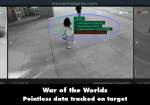
Character mistake: The Georgetown University camera feed for "Faith" lists irrelevant personal info like "Mark Goodman - Baby Daddy" alongside "Biomedical Research," while showing "Threat Analysis - Unclear." If she's not flagged as a threat, why is she being tracked at all? And why is gossip-level relationship info in an intel overlay?

Factual error: The "domestic terror suspect" list shows real hacker groups (Anonymous, Fancy Bear, Lazarus Group) alongside apparent solo hacker handles ("Black Cat," "StarFire," "Thelma and Louise"). A real watchlist wouldn't mix groups and individuals in one table with identical statuses, nor would it show only one profile picture, especially when that image is just a generic "hooded hacker" stock shot. The rest being just a "?" mark. (00:02:00)

Factual error: The "Dulles Airport" feeds for Concourse B and Concourse C look nothing alike. Concourse B is clean HD with neutral colour, while Concourse C has a heavy green tint, thicker scan lines, lower resolution, and more blurred areas. A real airport security system would have consistent camera quality, making it clear these were filmed in different locations and dressed up with overlays. (00:01:50)
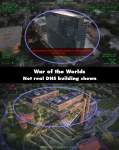
Factual error: After showing the sign for DHS headquarters at 3801 Nebraska Avenue NW in Washington, D.C., the next shot depicts a modern glass high-rise as the building. The real DHS Nebraska Avenue Complex is a collection of older brick buildings, not a sleek office tower, making the establishing shot inaccurate to the location shown. The drone shot also shows the building as the DHS headquarters. (00:01:45)
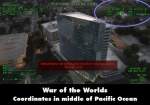
Factual error: The "drone" view of DHS HQ lists coordinates (32.441000° N, 169.451116° W) that place it in the Pacific Ocean, thousands of miles from D.C. The HUD shows impossible flight data - one side reads 517 knots at 3,632 ft, the other 2 mph at 2,228 ft. It also uses the callsign "PCSD Survey 2," more fitting for a county sheriff's drone than DHS, and includes filler terms like "SLAVE READY" that aren't standard for real UAV systems. (00:01:45)

Factual error: A camera feed is labeled as being Dulles International Airport, Concourse B, but the interior shown doesn't match Dulles. The real concourse has tall, open spaces with arched ceilings and different flooring. The scene shows a low-ceiling concourse with a patterned tile floor and escalator layout unlike the actual airport, indicating it was filmed in a different location. (00:01:50)
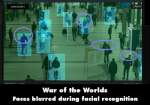
Revealing mistake: In the Dulles Airport surveillance feed scene, the system is supposed to be doing facial recognition on everyone, but the two people walking toward the camera have their faces blurred out. This was probably done for filming privacy, but in reality it makes no sense for the system to censor itself. Will would be looking at non-blurred faces. This indicates it was taken from real footage recorded earlier and then edited for the movie. Signs and clothing logos are also blurred in this "live security footage." (00:01:50)

Factual error: Will's DHS desktop shows apps like Spotify, WhatsApp, Zoom, and Microsoft Teams. Such consumer programs would not be installed on a classified government system handling domestic terrorism intelligence, as they pose security risks. Classified workstations use locked-down, vetted software, not public cloud or media apps. (00:00:40)
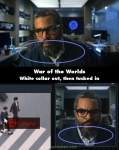
Continuity mistake: When Will is watching two guys walk over a crosswalk and is listening to one of their phones, Will's white undershirt collar goes from pulled out to tucked in under his hoodie's collar. (00:01:40)
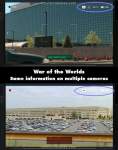
Revealing mistake: Both NSA and Pentagon feeds display "HD" and "4K" at the same time, which are different resolutions and wouldn't be listed together. The NSA feed also shows a battery icon despite being a fixed security camera, not a portable device. These are unrealistic HUD elements for professional surveillance systems. It is also the same display with battery at 80% from both cameras, indicating it is just a copy-paste in the editing. Several other shots have the exact same overlay later as well. (00:01:30)

Factual error: When Will launches the "Guardian 8.6.2 2024 - Database Software," the splash screen shows a stylized hawk logo and the slogan "Freedom and Security for All." Real DHS or Homeland Security database tools don't use marketing-style branding, public-sounding mottos, or the year in the title. Classified government software typically has plain, minimal splash screens without decorative logos or slogans, both for security and professionalism. (00:00:47)

Factual error: The secure "Guardian" database login screen includes a "Load Previous Session" checkbox. Classified government systems don't allow this, as prior sessions are terminated for security, requiring a fresh login and full reload of data. Retaining a previous session would be a major security and chain-of-custody risk in intelligence work, and is not a feature used in real DHS or counterterrorism databases. (00:00:50)

Revealing mistake: When Will launches "Guardian," the window shows the Restore icon (two overlapping squares) in the title bar even though the app isn't maximized (desktop is visible around it). In Windows, that icon only appears when a window is maximized; a non-maximized window should show a single Maximize square. (00:00:45)


