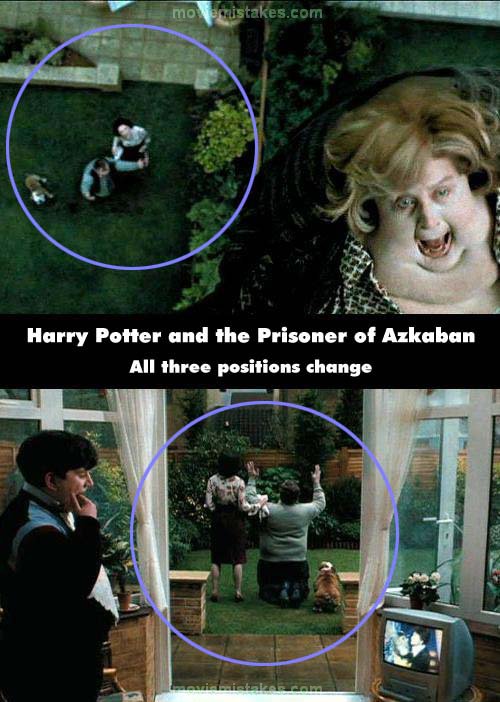
Continuity mistake: As Vernon watches Marge float away, he is on his knees on the grass in the backyard, with Petunia beside him. Still on his knees as Vernon shouts, "Please!" in the shot from inside, his position on the grass is now centered with the door, so as to be visible for this shot. (00:05:50)
Harry Potter and the Prisoner of Azkaban (2004)
56 pictures
Directed by: Alfonso Cuaron
Starring: Gary Oldman, Maggie Smith, Alan Rickman, Michael Gambon, David Thewlis, Daniel Radcliffe, Emma Watson, Robbie Coltrane, Tom Felton, Rupert Grint, Richard Griffiths, Robert Hardy
Genres: Adventure, Family, Fantasy, Harry Potter
To submit a picture, just click the edit icon under the relevant entry, then choose 'add a picture'. Thanks!
All images remain the copyright of their original owners - these low resolution images are simply individual frames used to demonstrate the entry.
Join the mailing list
Separate from membership, this is to get updates about mistakes in recent releases. Addresses are not passed on to any third party, and are used solely for direct communication from this site. You can unsubscribe at any time.
Check out the mistake & trivia books, on Kindle and in paperback.