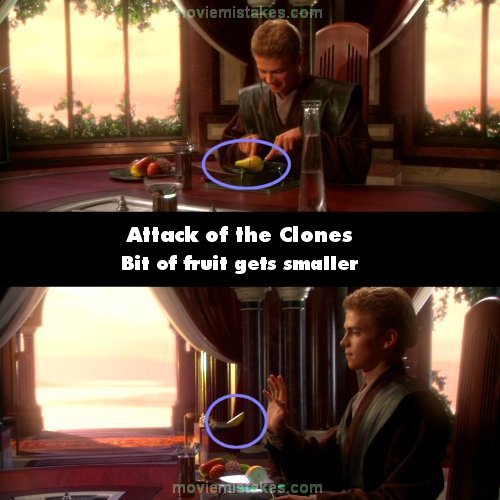
Continuity mistake: When Anakin and Padme are about to eat, Anakin uses the force to levitate her pear-like fruit to his plate. He then proceeds to cut it pretty much in half. However, the piece he sends over to her is much smaller than half - we even see the remainder of the pear on his plate which is substantially larger than it was in the shot before. (00:53:25)

Star Wars: Episode II - Attack of the Clones (2002)
24 pictures
Directed by: George Lucas
Starring: Samuel L. Jackson, Ewan McGregor, Christopher Lee, Frank Oz, Natalie Portman, Hayden Christensen, Anthony Daniels, Ian McDiarmid, Temuera Morrison, Kenny Baker
To submit a picture, just click the edit icon under the relevant entry, then choose 'add a picture'. Thanks!
All images remain the copyright of their original owners - these low resolution images are simply individual frames used to demonstrate the entry.
Join the mailing list
Separate from membership, this is to get updates about mistakes in recent releases. Addresses are not passed on to any third party, and are used solely for direct communication from this site. You can unsubscribe at any time.
Check out the mistake & trivia books, on Kindle and in paperback.