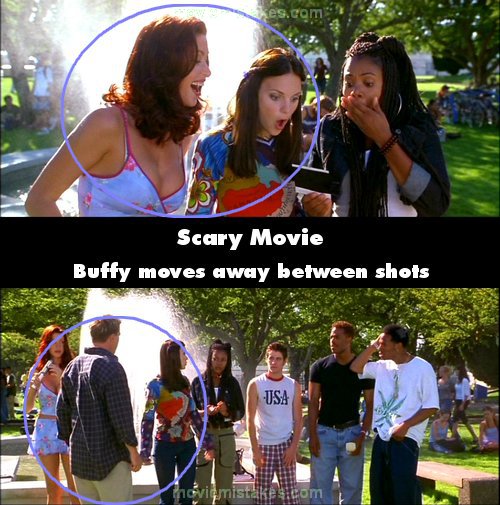
Continuity mistake: When Greg confronts Ray about the picture he found in the locker room, he shows them all and they start laughing. Buffy is on the left part of the screen, (on Cindy's right side), then Cindy explains that she got a note. Then when she says: "Somebody knows.", Buffy is more to the right (or left of the screen) than before. Then when Cindy says they have to call the police, Buffy's back to where she was at first. (00:26:50)

Scary Movie (2000)
38 pictures
Directed by: Keenen Ivory Wayans
Starring: Anna Faris, Regina Hall, Lochlyn Munro, Shannon Elizabeth, Carmen Electra, Jon Abrahams, Dave Sheridan, Cheri Oteri, Frank B. Moore, Giacomo Baessato
Genres: Comedy
To submit a picture, just click the edit icon under the relevant entry, then choose 'add a picture'. Thanks!
All images remain the copyright of their original owners - these low resolution images are simply individual frames used to demonstrate the entry.
Join the mailing list
Separate from membership, this is to get updates about mistakes in recent releases. Addresses are not passed on to any third party, and are used solely for direct communication from this site. You can unsubscribe at any time.
Check out the mistake & trivia books, on Kindle and in paperback.