Movie news

News Schmews Etc!

Worthington's Crime

Up in the Air clips

Brothers dream clip

Review: New Moon

Quotes

Marlin: Now, what's the one thing we have to remember about the ocean?

Nemo: It's not safe.

Marlin: That's my boy.

See more...

Mistakes

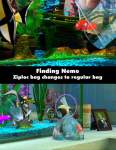
Towards the middle of the movie, we see a shot with Nemo staring out of the tank, depressed. The camera slowly pans toward the side of the tank and Nemo is reflected in the glass twice. However, towards the end of the movie when Nemo is playing dead, all the fish swim to the other side of the tank and Bloat says something like, "What's happening? Why is he playing dead?" The camera pans to the side of the tank again, but the fish are only reflected once this time. They should have been reflected twice. See more...

Trivia

There's a scene where Crush the turtle is describing how they found Marlin and Dory. Well, that scene looks very similar to one in The Little Mermaid, where Flounder is describing how he and Ariel escape from the shark attack in the ship. See more...

Movie Mistakes blog

Popular blog posts:

15 biggest Harry Potter mistake pictures

RIP Michael Jackson

10 Twilight mistakes in pictures

50 mistakes in The Simpsons

The 20 biggest Friends mistake pictures

Bookmark

Finding Nemo (2003) - 9 easter eggs

Directed by Andrew Stanton, starring Albert Brooks, Alexander Gould, Allison Janney, Andrew Stanton, Austin Pendleton, Barry Humphries, Brad Garrett, Elizabeth Perkins, Ellen DeGeneres, Eric Bana, Geoffrey Rush, John Ratzenberger, Stephen Root, Willem Dafoe (add more)

Genres: Animation, Adventure, Comedy, Family

Easter eggs are hidden bits on DVDs which if you know where to look can provide all sorts of fun extras.

Mistakes

Trivia

Pictures

Quotes

Easter Eggs

Corrections

Questions

Submit

Entry Really cute short of Dory and Marlin. On the second disk, go to the Behind the scenes sub-menu. Go into the behind the scenes submenu, highlight studio tour, but don't click it. Press the up button and there will be a highlighted fish. Click it. In the Region 4 DVD the invisible fish is in there, but it is underneath 'Character Interviews'. To get to it highlight the arrow on the bottom-right and push right on the remote, the fish will then highlighted.
Entry In the 2nd disc, go into the Bonus features, then into Mr Ray's encyclopedia. Highlight the curved arrow on the WAY bottom of the screen, then hit down.
Entry Disc 1: Go into the Bonus features menu, hit right to highlight the curve arrow, then hit down to highlight the top left space between the plate corals. You will find another short clip with Dory and Marlin.
Entry Disc 1: In the virtual aquarium menu, scroll down the list. When you highlight 'sandy reef', hit down to highlight the top fish box. Not really an easter egg but a hidden option which tells you how to use the fish boxes along the menus.
Entry Disc 1: Into the Bonus Features menu, hit left twice and highlight the bean shaped things on the plate coral. Not really an easter egg but a hidden option...
Entry Disc 1: Go into the Visual Commentary menu, and before hitting anything else, hit left to highlight the fish box, then hit up to highlight the anemone. You will find a short clip with Dory and Bruce.
Entry On disc 1, go to Setup, go to Subtitles, and hit the left arrow. You'll see a green fish. Hit Enter and hear Bruce say something funny.
Entry On disc 1, go to Bonus features, select Visual Commentary, then select Visual Commentary Index, then from Play All hit the left button. You'll see a green fish and hear Bruce say something very sarcastic.
Entry On the 2 disk collector version, go to Bonus Features. Arrow left once to highlight return arrow, hit down arrow to highlight fish in top right corner of the screen. Hit enter to see an ad for th Aqua Scum 2003.

Message boards

No discussions yet

Register as a member to post a message


The message boards are meant for discussing things with other users, rather than making submissions/corrections. By all means feel free to post what you like here, but for anything to be looked at properly and entered into the "official" section please use the "submit something" link in the navigation bar. Any members who post offensive content will have their accounts blocked. This is also not the place to contact Jon (who runs the site (although the members who help him check are a BIG help)) - for that, please use the contact form.