Easter egg: Insert Disc 1, when you get to the main menu enter the numbers 82997 (the date of Judgment Day) this should reveal the message 'The future is not set' and you'll be presented with two deleted scenes, one is the T-1000 searching John's room and the other is the alternate 'Future Coda' ending. This applies only to the regular DVD. This may be easier using a computer's DVD drive.
Easter egg: If you wait long enough at the main menu, a T-101 will walk by and look at you, then resume walking.
Easter egg: On the Ultimate Edition there is a 3rd Version of T2 with the Futura Coda scene replaced. To access it click on Special Edition and on the right of screen there is a small menu with symbols on the right. Press on your remote the numbers "82997" in that order. It should change the symbols into a message saying "The future is not set" and the Terminators eyes will light up and a new entry will allow you to access the alternate ending. If nothing happens then try entering each number then pressing enter (i.e. Press 8, enter, 2, enter, 9, enter etc.) If you still cannot access this menu then play any version of the film and change the title to "3" and it will access the extended edition without using the menu.
Easter egg: Extreme Edition disc 1: highlight Sensory Control and press the right arrow five times. A message on the right saying The Future Is Not Set will show; hit enter to see an option for the theatrical edition of the movie.
Easter egg: On disc 2 of the Extreme DVD edition, highlight DVD-ROM and press left (a rectangle should now be highlighted). Click to view a montage of the special features found on the Ultimate Edition DVD (no longer produced).
Easter egg: The Ultimate edition - special features side (side B) - if you wait a while (~30 seconds) a random event occurs. One is a T-1000 head forming from the menu panel telling you to "Get out" (badly synced & doesn't sound like Robert Patrick) (by the way, also seen in a trailer for the Ultimate Edition on Disc 2 of the Extreme DVD [bottom left icon]) Other times the bottom left rectangle activates, selecting it (you only get ~2 seconds) you either get a text message from John Connor or a short 3D animation of Beethoven's(?) head listening to sound that shatters to reveal an endoskeleton. These are the only events I've seen.


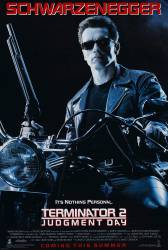
Chosen answer: Two possibilities. 1: The Terminator is emotionless, so the killing isn't personal, but rather what it's programmed to do. 2: Sarah Connor's plan to kill Miles Dyson to stop Skynet's creation.
Captain Defenestrator
It's also a sly nod to another famous tagline, Jaws: The Revenge. "This time it's personal."
BaconIsMyBFF